Mobility Disability
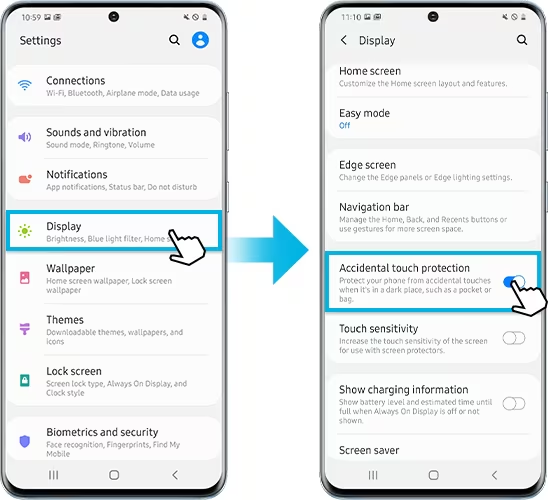
Touch accommodations (filtering accidental touches)
Settings that ignore unintended taps or swipes and reduce touch errors. Helpful for tremor, unsteady hand control, or motor impairments.
- Tool type
- Software
- Can help with
This guide is for general information. Talk to a specialist to choose the right tool for your needs.
Back to Tool Guide